
The world of DIY computing is a perpetual laboratory, a space where theory meets the often-unforgiving practice of silicon, solder, and software. My latest journey into this realm began not with a grand ambition to overclock or build a new rig, but with a frustrating, flickering anomaly in a beloved virtual world. This seemingly minor graphical glitch spiraled into a profound investigation of system integrity, driver ecosystems, and the ever-evolving nature of digital threats—threats I’ve come to collectively visualize as the relentless, invasive “robot dog.” This metaphor isn’t merely whimsical; it represents any autonomous, persistent digital agent that seeks to bypass defenses, corrupt systems, and pilfer data. My quest to banish graphical ghosts and fortify my machine against these electronic predators became a comprehensive study in proactive system stewardship.
It started with textures tearing, polygons stretching into impossible shapes, and landscapes dissolving into chaotic mosaics. My trusted gaming escape had become a digital funhouse mirror. The initial diagnosis, gleaned from forum deep-dives, pointed towards a common culprit: an unstable graphics driver or a hardware acceleration conflict. The prescribed first aid was to reduce the graphics hardware acceleration slider in the Windows display settings. The result was a mixed bag. The bizarre texture errors vanished, confirming a software/driver-level issue rather than a failing GPU. However, the “cure” was worse than the disease. The system’s graphical fluency, once a smooth river of pixels, now chugged like a clogged stream. Frame rates plummeted, and in intense scenes, the experience became unbearably stuttery. This trade-off was unacceptable. I had silenced one “robot dog”—the graphical corruption—by crippling my system’s ability to run, essentially chaining it down. A true solution required understanding and subduing the threat without compromising capability.
The deeper investigation led me to the core of the issue: driver antiquity. My GeForce 9-series card was a solid performer, but its accompanying driver, version 178.24, was a relic from its launch era. Graphics drivers are far more than simple translators; they are complex performance optimizers and bug-fix manifests. The equation for effective rendering isn’t just about raw processor power. We can think of it as:
$$ \text{Effective Frame Rate} = \frac{\text{GPU Raw Power} \times \text{Driver Efficiency}}{\text{Software Complexity} + \text{System Latency}} $$
An outdated driver drastically reduces “Driver Efficiency,” causing the “System Latency” term to grow due to unoptimized instructions and unresolved hardware communication bugs. This manifests as stutter and low frames. More critically, it fails to correctly map complex shader and texture instructions, leading to the “texture tears” I witnessed—a visual signature of the system’s confusion. Upgrading to the contemporary 186.18 driver was the pivotal move. This new driver contained hundreds of optimizations, bug fixes, and, crucially, proper support for my GPU’s architecture. After a clean installation, I was able to restore hardware acceleration to its maximum level. The “robot dog” of graphical corruption was not just muzzled but entirely eliminated, and system performance was restored to its full potential. The lesson was clear: driver management is not a “set it and forget it” affair. It is a critical line of defense and optimization.
This victory, however, was soon overshadowed by a more sinister intrusion. A few days later, I fell victim to a password-stealing Trojan, a digital “robot dog” of a different breed. While my graphical foe was a glitch, this was a malicious invader. It snuck in, bypassed my casual defenses, and stole credentials. The recovery process was arduous, relying on backup authentication systems. The incident served as a stark warning: my system’s software defenses were reactive and insufficient. I needed a proactive, hardware-rooted safety net. This is when I turned to a dormant feature embedded in my motherboard: the Colorful NetLive protection module.
NetLive is a fascinating piece of hardware-level technology. It operates below the operating system, creating a protected partition and a restoration framework that is incredibly difficult for malware—especially kernel-mode threats like certain “robot dog” variants—to tamper with. The specific “robot dog” malware I encountered (and which this technology famously helps mitigate) is notorious for bypassing traditional software disk filters and directly infecting system volumes. NetLive counters this by intercepting write operations at a firmware level before the OS even loads. The process to activate this shield is methodical:
- BIOS Enablement: Enter the system BIOS/UEFI, navigate to the “Colorful Magic Control” section, and set the “Colorful NetLive Control” option to Enabled. This arms the hardware functionality.
- Driver Installation/Update: Upon boot, a special installation interface appears. A clean installation required removing any older NetLive layers first, then installing the updated driver package within Windows. This new driver version specifically fortified the system against the contemporary evasion techniques used by the advanced “robot dog” Trojan.
- Configuration: After a reboot, the NetLive interface allows you to define which partitions to protect. Once set, any changes made to the system during a session can be wiped away upon reboot, restoring it to a known clean state—an impeccable defense against persistent infection.
This experience crystallized a holistic defense philosophy. Securing a modern PC is a multi-layered endeavor, akin to building a fortress with different materials and traps for different types of “robot dog” invaders. The following table summarizes the layered approach derived from my two major incidents:
| Defense Layer | Component Example | Threat It Counters | Analogy vs. “Robot Dog” |
|---|---|---|---|
| Hardware-Rooted Safety | NetLive Protection Module | Persistent rootkits, bootkits, kernel-mode Trojans. | A foundational, impenetrable kennel that resets itself, preventing the dog from digging a permanent den. |
| Driver & Firmware Integrity | Updated GPU/Chipset Drivers, UEFI Updates | Performance bugs, stability issues, security vulnerabilities in hardware communication. | Precise training and commands that ensure the system’s own “hounds” (components) behave correctly and don’t turn chaotic. |
| Software Security Suite | Antivirus, Anti-Malware, Firewall | Common viruses, network intrusions, script-based attacks. | Patrols and sniffers that detect known intruder breeds in real-time. |
| User Practice & Hygiene | Password managers, 2FA, cautious downloading, backups. | Phishing, credential theft, ransom ware. | Not leaving the gate open or food (data) unattended. |
The mathematical representation of system vulnerability can be modeled as a function of these layers. Let’s define Total System Risk (R) as being inversely proportional to the product of the strength of each defense layer, but with a critical insight: a chain is only as strong as its weakest link. We can express this concept with a modified formula that emphasizes the minimum strength:
$$ R \propto \frac{1}{\min(S_1, S_2, S_3, S_4) \cdot \ln(\prod_{i=1}^{4} (S_i + 1))} $$
Where:
- $S_1$ = Strength of Hardware-Rooted Safety (e.g., NetLive state: 0=off, 1=on/outdated, 2=on/updated)
- $S_2$ = Strength of Driver Integrity (scale from 0 to 10, based on recency and vulnerability fixes)
- $S_3$ = Strength of Software Security (scale from 0 to 10)
- $S_4$ = Strength of User Practice (scale from 0 to 10)
The logarithmic term acknowledges that overall strength increases with multiple good layers, but the $\min$ function dictates that a single near-zero strength (e.g., $S_4=0$ from clicking a malicious link) catastrophically increases total risk (R), allowing the “robot dog” to breach the perimeter.
My exploration didn’t stop at my own machine. The concept of the “robot dog” evolved in my mind, drawing parallels to the physical world of cybersecurity and robotics. The very term conjures images of modern quadruped robots—agile, persistent, and capable of navigating complex terrain. These machines, while marvels of engineering, symbolize the dual-use nature of technology: they can be tools for inspection and rescue, or potential platforms for surveillance and intrusion.
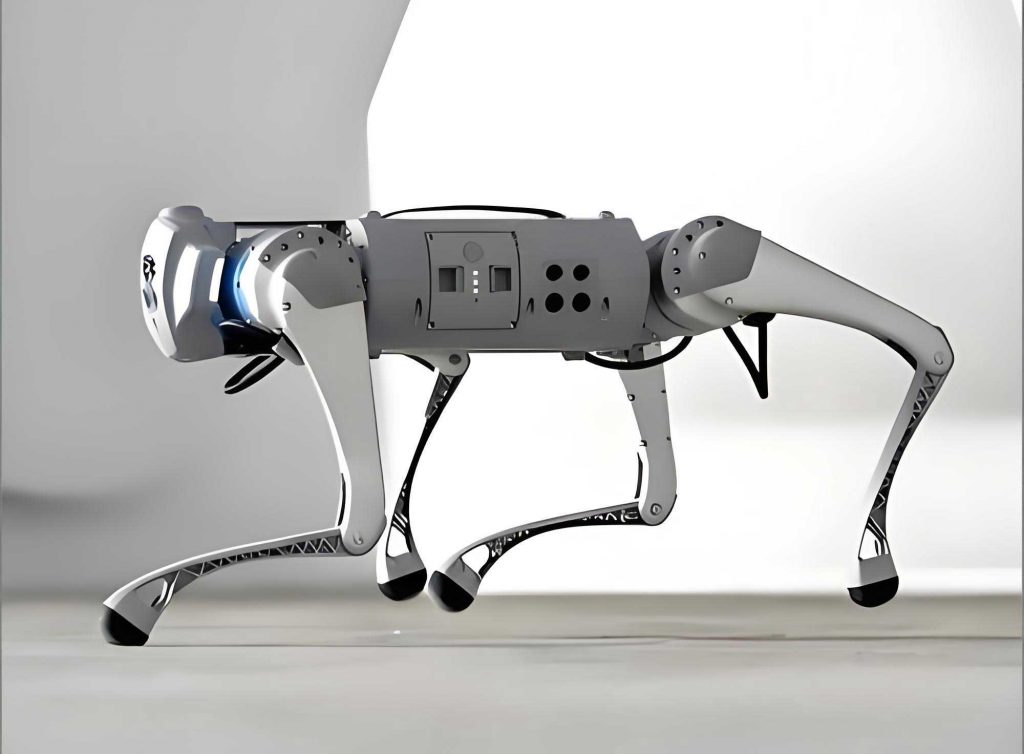
This tangible image of a quadruped robot perfectly mirrors the characteristics of advanced cyber threats: adaptability, persistence, and the ability to traverse the rugged “terrain” of a network or operating system. Defending against such a threat requires an equally sophisticated and layered strategy, blending hardware immutability with intelligent, updated software. The principles I applied to my PC—maintaining a hardened core (NetLive/Bios), ensuring optimal and secure communication between components (drivers), and deploying active patrols (security software)—are directly analogous to securing any complex digital system against autonomous “robot dog” agents, whether they are lines of malicious code or potential future embodiments in physical form.
In conclusion, the DIY journey from graphical glitch to systemic fortification taught me that modern computing maintenance is a proactive, continuous campaign. It involves:
- Vigilant Observation: Treating anomalies like texture errors not just as nuisances, but as symptoms of a deeper system state.
- Diagnostic Precision: Using tools and knowledge to isolate the root cause, whether it’s a driver deficit or a missing security layer.
- Strategic Updating: Prioritizing updates that close security gaps and enhance stability, particularly for drivers and firmware.
- Implementing Depth: Building defense-in-depth, where hardware-level protections form a last line of defense that is incredibly difficult for any “robot dog” malware to subvert.
The final, most important formula for the DIY enthusiast is a simple one of mindset:
$$ \text{System Resilience} = \text{Curiosity} + \text{Diligence} + \text{Proactive Action} $$
By embracing this equation, we transform our computers from fragile appliances into resilient, performant tools capable of repelling the incessant “robot dog” threats of the digital age, ensuring our virtual worlds remain both stunningly beautiful and securely our own.