
I designed, implemented, and validated a maintenance reminder function for FANUC industrial robots using the built-in KAREL language. Industrial robots are now widely deployed in intelligent manufacturing, and their long-term stability depends heavily on timely maintenance. In my work, I focused on helping operators see remaining maintenance time, receive popup warnings, reset maintenance records with password confirmation, and install the feature without reflashing robot software. The complete workflow included requirement analysis, interface design, routine design, installation design, simulation, and real-machine testing. The result is a practical function for industrial robots that improves equipment stability and production efficiency.
1. Introduction and Motivation
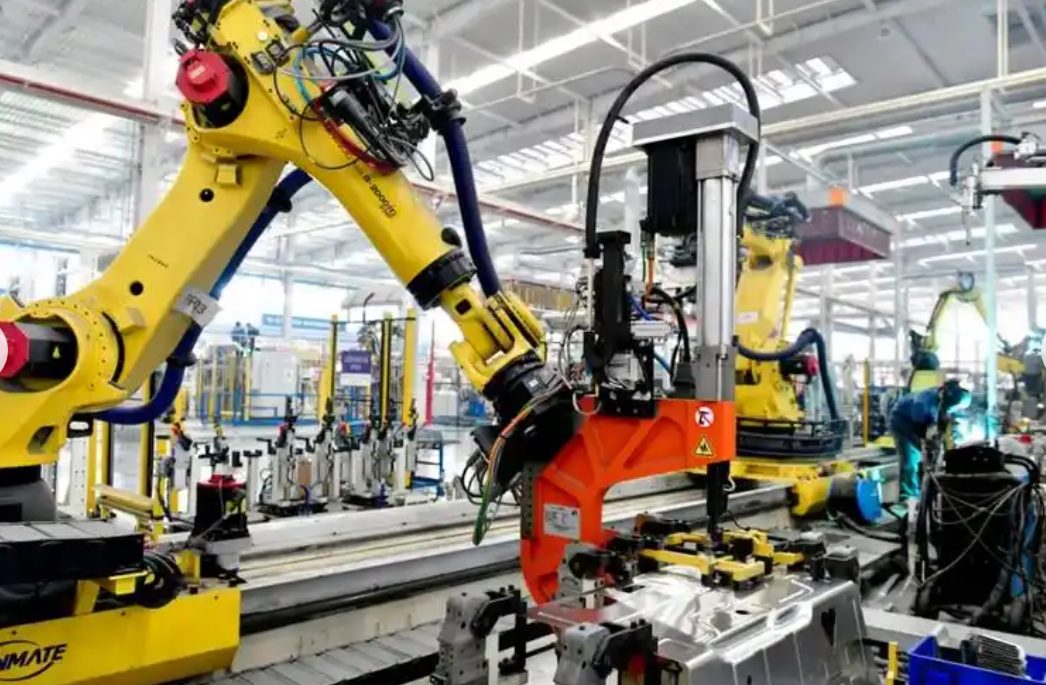
Industrial robots are used in spot welding, handling, arc welding, painting, laser processing, gluing, and many other production tasks. FANUC industrial robots are especially common because they offer high automation, strong functionality, and convenient programming. However, industrial robots are still machines. Over long operating periods, they may develop oil leakage, worn cable protection sleeves, loose external bolts, abnormal vibration, reduced accuracy, or weak robot body batteries. These issues can interrupt production and increase unplanned downtime. Therefore, regular inspection and maintenance are indispensable for industrial robots.
KAREL is a built-in special language for FANUC industrial robots. Its structure is simple, and it integrates many functional routines that can be called directly. By combining multiple KAREL functions, complex behavior can be realized. A KAREL source file with the .KL extension is compiled through the dedicated FANUC robot simulation platform ROBOGUIDE into a .PC program that the robot controller can recognize and execute. In my project, I used KAREL to design and develop the maintenance reminder function for industrial robots. The function reminds users to perform inspection and maintenance at appropriate intervals.
2. Requirement Analysis for Industrial Robots
Industrial robots often work in high-temperature, dusty, and harmful environments. They perform repetitive high-intensity tasks. Introducing industrial robots reduces the health impact on workers, but it also places higher demands on performance stability. Planned inspection and maintenance can keep industrial robots in a stable state, reduce unplanned downtime, and lower manual intervention. The maintenance items and their intervals are long, often three months or more. When users focus on urgent production tasks, they may forget maintenance near the deadline. The risk to safe and stable operation increases. Therefore, I identified the need for a maintenance reminder function that displays remaining time, updates in real time, and does not affect normal robot operation.
The important maintenance items and their maintenance periods are summarized below. The periods are based on cumulative operation time unless stated otherwise.
| Maintenance item | Maintenance period | Time basis |
|---|---|---|
| Control cabinet vent cleaning | 960 h | Cumulative operation time |
| Mechanical body damage and paint peeling inspection | 960 h | Cumulative operation time |
| Cable protection sleeve damage inspection | 960 h | Cumulative operation time |
| Balance cylinder bearing wear inspection | 960 h | Cumulative operation time |
| Water stain removal from robot | 960 h | Cumulative operation time |
| Control cabinet and mechanical body cable damage inspection | 3840 h | Cumulative operation time |
| Mechanism moving cable damage inspection | 3840 h | Cumulative operation time |
| Motor and exposed cable loose connection inspection | 3840 h | Cumulative operation time |
| Base and flange plate bolt tightening inspection | 3840 h | Cumulative operation time |
| Cooling fan operation confirmation | 3840 h | Cumulative operation time |
| Balance cylinder bearing lubrication | 3840 h | Cumulative operation time |
| Encoder battery replacement | 3840 h | Cumulative operation time |
| Joint lubrication oil replacement | 11520 h or 3 years | Cumulative operation time or natural time |
The remaining maintenance time for industrial robots can be expressed as a general equation. Let the maintenance period be a target value, the current time or cumulative operation value be a live quantity, and the maintenance record time be the baseline from the last maintenance action. The remaining time is then the difference between the period and the elapsed time since the last record.
$$ L_{\text{remaining}}(t) = M_{\text{period}} – \left( C_{\text{current}}(t) – R_{\text{record}} \right) $$
For the 960 h group, the equation becomes the following. Here, cumulative operation time is used because the maintenance items in this group depend on robot motion and duty.
$$ L_{960}(t) = 960 – \left( T_{\text{run}}(t) – T_{\text{run},0} \right) $$
For the 3840 h group, the same operation-time basis applies.
$$ L_{3840}(t) = 3840 – \left( T_{\text{run}}(t) – T_{\text{run},0} \right) $$
For the 11520 h maintenance, the operation-time basis is also used.
$$ L_{11520}(t) = 11520 – \left( T_{\text{run}}(t) – T_{\text{run},0} \right) $$
For the 3-year maintenance, natural time is used instead. This is necessary because some deterioration mechanisms in industrial robots depend on calendar time as well as operation time.
$$ L_{3y}(t) = 3 – \left( Y_{\text{now}}(t) – Y_{0} \right) $$
Because the joint lubrication oil replacement has two possible triggers, I used the smaller remaining time as the final indication.
$$ L_{\text{final}}(t) = \min\left( L_{11520}(t),\; L_{3y}(t) \right) $$
The reminder is triggered when the remaining time reaches zero or falls below a warning threshold.
$$ L_{\text{final}}(t) \leq L_{\text{warn}} $$
I organized the requirements into functional, performance, usability, and installation categories. The table below summarizes the requirement analysis for the maintenance reminder function of industrial robots.
| Requirement category | Requirement | Reason |
|---|---|---|
| Functional | Display all maintenance items and remaining time | Operators need a clear view of upcoming maintenance |
| Functional | Update remaining time in real time | Maintenance status must reflect actual robot usage |
| Functional | Generate popup alarm near or at the deadline | Prevent forgotten maintenance |
| Functional | Reset remaining time after maintenance | Start a new maintenance cycle |
| Functional | Support English and localized interface selection | Industrial robots may be used in different regions |
| Performance | Run in the background without disturbing production | Maintenance reminder must not reduce robot availability |
| Performance | Use a background loop period of 1 h | Low overhead with acceptable accuracy |
| Usability | Require password confirmation for reset | Avoid accidental reset and data loss |
| Installation | Support one-click installation from portable storage | Reduce commissioning time and software complexity |
3. Overall Design for the Maintenance Reminder
Based on the requirement analysis, I divided the maintenance reminder function into three parts: interface design, routine design, and installation program design. The interface design provides direct display on the teach pendant. The routine design includes foreground display routines, background calculation routines, and autostart routines. The installation program design enables one-click installation so that users do not need to refresh robot software or perform complex operations.
| Design area | Responsibility | Key technology |
|---|---|---|
| Interface design | Display maintenance items, remaining hours, remaining years, reset button, and language selection | .FTX form files, dictionary files, .TX and .VR compiled files |
| Routine design | Foreground display, background calculation, autostart at power-on | KAREL .KL source, .PC executable programs |
| Installation program design | Load interface and program files, set system variables, register custom menu | FRCOPY, PCLOAD, SETVAR |
For industrial robots, the interface must be readable under production conditions. It must also avoid unnecessary complexity. Therefore, I grouped the maintenance items into three categories. This reduced the number of remaining-time calculations and lowered the storage requirement on the robot controller. The three groups are the 960 h group, the 3840 h group, and the 11520 h or 3-year group. The grouping strategy is summarized below.
| Group | Period | Number of items | Calculation basis |
|---|---|---|---|
| Group A | 960 h | 5 | Cumulative operation time |
| Group B | 3840 h | 7 | Cumulative operation time |
| Group C | 11520 h or 3 years | 1 | Cumulative operation time and natural time |
4. Interface Design for Industrial Robots
I used .FTX form files for the interface. After compilation on ROBOGUIDE, the .FTX file generates .TX, .KL, and .VR files. These files are loaded to the robot controller and called by the display routines. I used dictionary and form files to present the interface on the FANUC teach pendant. Because the robot may operate in an English environment, I designed both English and localized interface variants. The interface contains the maintenance project names, the remaining time for each group, and a reset function key.
The English-style layout of the form can be summarized as follows. I avoided unnecessary decoration and kept the content aligned with the maintenance categories.
| Interface region | Content | Purpose |
|---|---|---|
| Header | Maintenance Reminder | Identify the function |
| Group A title | -960 h Maintenance | Show short-interval maintenance |
| Group A remaining | Remaining hours: value | Show live remaining time |
| Group A items | Control cabinet vent cleaning; mechanical body damage and paint peeling inspection; cable protection sleeve damage inspection; balance cylinder bearing wear inspection; water stain removal | List required actions |
| Group B title | -3840 h Maintenance | Show medium-interval maintenance |
| Group B remaining | Remaining hours: value | Show live remaining time |
| Group B items | Control cabinet and mechanical body cable damage inspection; mechanism moving cable damage inspection; motor and exposed cable loose connection inspection; base and flange plate bolt tightening inspection; cooling fan operation confirmation; balance cylinder bearing lubrication; encoder battery replacement | List required actions |
| Group C title | -11520 h Maintenance and -3-year Maintenance | Show long-interval maintenance |
| Group C remaining | Remaining hours and remaining years | Show two deadlines for one item |
| Group C item | Joint lubrication oil replacement | List required action |
| Function key | Reset | Start a new maintenance cycle |
The display routines include parameter initialization, form invocation, language selection, and variable binding. The table below lists representative routines and their functions.
| Routine | Function |
|---|---|
| MAIN_SCREEN | Calls the KAREL function DISCTRL_FORM to display the form |
| VALUE_ARRAY | Binds interface fields to variables |
| INITVARS | Initializes variables used by the interface |
| FORM_SELECT | Selects the language dictionary based on the current robot language using ADD_DICT |
For language selection, I used the built-in dictionary function ADD_DICT. This allows the same interface logic to be reused while the displayed text changes according to the selected language. For industrial robots used in global production lines, this feature reduces training effort and avoids the need to maintain separate interface programs for each language.
5. Background Calculation and Reset Logic
The background calculation program must run continuously to monitor the current time and update the remaining maintenance time. I used KAREL functions GET_VAR, GET_TIME, DB_PROMPT, and related routines. The maintenance record time is first set to the installation time of the reminder function. Later record times are updated after actual maintenance. The current time is obtained by the background program. The maintenance period is preset according to the maintenance category.
The routines used in the background calculation are summarized below.
| Routine | Function |
|---|---|
| INIT_LOCALVARS | Initialize local parameters for background calculation |
| GET_SRV_TIME | Read cumulative operation time through GET_VAR from a system variable |
| GET_CUR_TIME | Read current natural time through GET_TIME |
| CHECK_SRV_TIME | Compute the remaining maintenance time |
| USER_ALARM | Display popup reminder through DB_PROMPT |
| RESET_STATUS | Reset the remaining time after maintenance |
I read the cumulative operation time from the system variable $SYSTEM_TIME[1].SRV_TOT. I read the current natural time with GET_TIME. I then computed the remaining time for each group. The update can be expressed as follows. At each background cycle, the time advances by a fixed interval.
$$ t_{k+1} = t_k + \Delta t,\quad \Delta t = 1~\text{h} $$
The change in remaining time for operation-time-based items is the negative of the change in cumulative operation time.
$$ \Delta L_{\text{run}} = – \left( T_{\text{run},k+1} – T_{\text{run},k} \right) $$
For natural-time-based items, the change follows calendar time.
$$ \Delta L_{\text{natural}} = – \left( C_{\text{now},k+1} – C_{\text{now},k} \right) $$
Because the background loop is set to 1 h, the maximum quantization error for a maintenance period is one hour. The relative error is small for all maintenance groups. For the 960 h group, the maximum relative error is as follows.
$$ \varepsilon_{960} = \frac{1}{960} \times 100\% \approx 0.104\% $$
For the 3840 h group, the error is smaller.
$$ \varepsilon_{3840} = \frac{1}{3840} \times 100\% \approx 0.026\% $$
For the 11520 h group, the error is smaller still.
$$ \varepsilon_{11520} = \frac{1}{11520} \times 100\% \approx 0.0087\% $$
When the remaining time is less than or equal to zero, the robot teach pendant displays a popup to remind the user to perform the necessary maintenance. I used DB_PROMPT to realize this popup. The alarm condition for each group can be written as a Boolean decision.
$$ A_i(t) = \begin{cases} 1, & L_i(t) \leq 0 \\ 0, & L_i(t) \gt 0 \end{cases} $$
The alarm does not stop the robot. It only informs the operator. This is important because industrial robots should not be interrupted unnecessarily during production. The reminder is repeated according to the background cycle until the maintenance is recorded.
When maintenance is performed, the user must enter a password for secondary confirmation. This prevents accidental reset. The password check can be represented as a reset-enable flag.
$$ A_{\text{reset}} = \begin{cases} 1, & p = p_{\text{correct}} \\ 0, & p \neq p_{\text{correct}} \end{cases} $$
If the reset is allowed, the current time is stored as the new maintenance record time.
$$ R_{\text{record}} \leftarrow C_{\text{current}}(t) $$
After that, the remaining time is recalculated from the new record. The reset logic applies to all groups. For the 11520 h or 3-year item, resetting the record also resets both the operation-time and natural-time counters.
6. Autostart and Installation Design
The autostart routine allows the background program to start automatically after the robot controller restarts. I set the system variables $PWR_NORMAL and $PWR_SEMI to the name of the background program. After the robot restarts, the background calculation routine is executed automatically. This ensures that maintenance monitoring continues without manual intervention. The autostart configuration is summarized below.
| System variable | Value | Purpose |
|---|---|---|
| $PWR_NORMAL | MTRM_AUTOBOOT | Start background program in normal power-on mode |
| $PWR_SEMI | MTRM_AUTOBOOT | Start background program in semi-power-on mode |
| $KAREL_ENB | 1 | Enable KAREL execution |
| $CUSTOMMENU[11].$TITLE | MTRM | Register custom menu title |
| $CUSTOMMENU[11].$PROG_NAME | MTRM_IF | Set the program associated with the custom menu |
The installation program is designed for portable storage such as a USB drive. Users can install the maintenance reminder function without refreshing robot software. The robot executes FRCOPY, PCLOAD, and related statements to load the interface files and program files into the controller. The installation steps are listed below.
| Step | Action | Representative statement |
|---|---|---|
| 1 | Enable KAREL execution | SETVAR $KAREL_ENB 1 |
| 2 | Register custom menu title | SETVAR $CUSTOMMENU[11].$TITLE “MTRM” |
| 3 | Set custom menu program | SETVAR $CUSTOMMENU[11].$PROG_NAME “MTRM_IF” |
| 4 | Configure normal power-on autostart | SETVAR $PWR_NORMAL “MTRM_AUTOBOOT” |
| 5 | Configure semi power-on autostart | SETVAR $PWR_SEMI “MTRM_AUTOBOOT” |
| 6 | Copy form and variable files | FRCOPY mtrmch.vr FR:mtrmch.vr |
| 7 | Copy interface text files | FRCOPY 00mtrmch.tx FR:00mtrmch.tx |
| 8 | Load KAREL library | PCLOAD MTRM_LIB.PC |
| 9 | Load interface program | PCLOAD MTRM_IF.PC |
| 10 | Load background program | PCLOAD MTRM_BG.PC |
| 11 | Load variable program | PCLOAD MTRM_VAR.PC |
| 12 | Load autostart program | PCLOAD MTRM_AUTOBOOT.PC |
This installation approach is simple for maintenance engineers. It avoids complex robot software updates and reduces the risk of configuration mistakes. For industrial robots in mass production, installation time is a critical factor because every minute of downtime has a cost.
7. ROBOGUIDE Simulation Validation
I validated the function on ROBOGUIDE, the simulation platform for FANUC industrial robots. The simulated robot system and the real robot controller are highly consistent in internal behavior. ROBOGUIDE makes it easier to inspect problems, lowers debugging cost, and improves programming efficiency. I used a V9-series simulated robot controller. I created a simulation cell, configured the system, imported the maintenance reminder programs through the installation program, and restarted the simulated robot.
After the restart, I checked whether the interface displayed correctly, whether the remaining maintenance time updated, whether the popup appeared at the threshold, and whether the reset function required a password. The simulation test cases and results are summarized below.
| Test case | Setup | Expected result | Observed result |
|---|---|---|---|
| Interface loading | Start simulated robot after installation | Maintenance reminder form appears | Pass |
| Remaining time display | Read initial record time | Correct remaining hours for 960 h, 3840 h, 11520 h, and 3-year items | Pass |
| Background update | Increase simulated operation time | Remaining hours decrease accordingly | Pass |
| Popup alarm | Set remaining time below zero | Popup reminder appears on the teach pendant | Pass |
| Reset with wrong password | Press reset and enter incorrect password | Reset denied | Pass |
| Reset with correct password | Press reset and enter correct password | Remaining time is reset to the full period | Pass |
| Language switch | Change simulated robot language | Interface text changes according to dictionary selection | Pass |
The simulation results confirmed that the function logic is correct and that the interface behaves as intended. I also confirmed that the background program does not interfere with robot motion in the simulated cell. The maintenance reminder function runs in the background and updates the remaining time without blocking the main robot program.
8. Real Industrial Robot Validation
I also tested the function on a real FANUC LR-10iA/10 industrial robot platform. The robot used the latest V9 system. The test flow was similar to the simulation flow. I installed the function, restarted the controller, and checked the interface. The interface displayed normally. When the robot operation time exceeded the maintenance period, a popup appeared on the teach pendant, confirming the completeness and correctness of the maintenance reminder function. The password confirmation also worked correctly during reset.
The real-machine test cases are summarized below.
| Test case | Setup | Expected result | Observed result |
|---|---|---|---|
| Installation | Run installation program from portable storage | Files load and custom menu appears | Pass |
| Autostart | Restart controller | Background program starts automatically | Pass |
| Interface display | Open maintenance reminder menu | All items and remaining values are visible | Pass |
| Remaining time update | Run the industrial robot for a period | Remaining hours decrease | Pass |
| Maintenance popup | Force remaining time to zero | Popup appears | Pass |
| Password reset | Enter correct password after maintenance | Remaining time resets | Pass |
| Production interference | Run the main production program while background monitor is active | No unexpected stop or delay | Pass |
These results verified that the maintenance reminder function is effective, practical, and complete for industrial robots. The function has already been installed and used on real industrial robots. It improves the stability of industrial robots and reduces production and usage costs for enterprise users.
9. Results and Discussion
The maintenance reminder function successfully connects maintenance requirements with the daily operation of industrial robots. It provides a clear interface, accurate remaining-time calculation, popup alarms, and password-protected reset. The grouping strategy reduces the number of stored records and calculations. The background loop period of 1 h keeps resource usage low while maintaining sufficient accuracy for maintenance planning.
The functional verification summary is shown below.
| Function | Status | Remark |
|---|---|---|
| Remaining time display | Implemented | Shows 960 h, 3840 h, 11520 h, and 3-year values |
| Real-time background update | Implemented | 1 h cycle, low overhead |
| Popup reminder | Implemented | Uses DB_PROMPT on the teach pendant |
| Password-protected reset | Implemented | Prevents accidental reset |
| Language selection | Implemented | Uses dictionary switching |
| Autostart | Implemented | Uses $PWR_NORMAL and $PWR_SEMI |
| One-click installation | Implemented | Uses FRCOPY, PCLOAD, and SETVAR |
| Simulation validation | Passed | ROBOGUIDE V9 system |
| Real-machine validation | Passed | FANUC LR-10iA/10 with V9 system |
The main advantage of this approach is that it uses the built-in KAREL environment of FANUC industrial robots. It does not require additional hardware. It does not interrupt production. It fits naturally into the existing teach pendant interface. It also avoids complex software updates because the installation program loads the required files directly.
There are also limitations. The reminder depends on the recorded maintenance time. If a user ignores the popup, the robot will continue to run. The function is a reminder, not an interlock. The accuracy is limited by the 1 h background cycle. For the 960 h group, the maximum relative error is about 0.104%. This is acceptable for maintenance planning, but it may not be sufficient for condition-based maintenance. Another limitation is that the current function does not automatically identify the actual condition of the industrial robot. It only tracks time and operation hours.
For future work, I see several possible enhancements. The maintenance reminder could be connected to a factory network or cloud platform. Maintenance events could be logged and uploaded for remote monitoring. Sensor data such as vibration, temperature, and motor current could be fused with the time-based maintenance model. A predictive maintenance model could estimate the health of industrial robots more accurately. Mobile notifications could also be added so that maintenance engineers receive alerts even when they are away from the teach pendant. A fleet dashboard could manage multiple industrial robots in one production line.
| Future enhancement | Description | Expected benefit |
|---|---|---|
| Cloud logging | Upload maintenance events and remaining time to a server | Remote monitoring and traceability |
| Sensor fusion | Collect vibration, temperature, and current data | Condition-based maintenance |
| Predictive models | Use historical data and machine learning | Reduce unplanned downtime |
| Mobile notification | Send alerts to smartphones or tablets | Faster response |
| Fleet management | Monitor many industrial robots in one dashboard | Centralized maintenance planning |
| Automatic report generation | Create maintenance reports from logs | Lower administrative effort |
10. Conclusion
I designed and implemented a maintenance reminder function for FANUC industrial robots using the built-in KAREL language. The function covers requirement analysis, interface design, routine design, installation design, simulation testing, and real-machine testing. It displays remaining maintenance time, updates in the background, generates popup reminders, supports password-protected reset, provides language selection, and installs with a simple procedure. The experimental results on ROBOGUIDE and on a real FANUC LR-10iA/10 industrial robot confirmed that the function is effective, practical, and complete. The maintenance reminder function supports the stable operation of industrial robots, reduces unplanned downtime, and improves production efficiency. The function has been applied to real industrial robots, and it provides a solid foundation for future integration with condition monitoring and predictive maintenance for industrial robots.