
For years, I have been fascinated by the challenge of making bionic robots walk with the grace and adaptability of biological organisms. The promise of a machine navigating complex, human-centric environments is a cornerstone of advanced robotics. However, this pursuit is perpetually constrained by the tether of control. Wired connections severely limit a bionic robot‘s operational freedom, turning dynamic locomotion experiments into logistical puzzles. Traditional wireless debugging consoles often present a stark, text-based interface that is unintuitive and functionally rigid. While using a laptop as a terminal offers more power, its lack of portability contradicts the very essence of a mobile bionic robot. It became clear that the control terminal itself needed an evolution.
The ubiquitous presence of Android smartphones presented a compelling solution. Their powerful processors, high-resolution touchscreens, and inherent mobility make them ideal candidates for a next-generation control interface. The open-source nature of Android and the portability of Java applications meant I could develop a sophisticated, interactive control platform dedicated to my bionic robot. This article details my journey in designing and implementing a smartphone-based control system, using Bluetooth as the communication backbone, to liberate the bionic robot from physical and interface constraints.
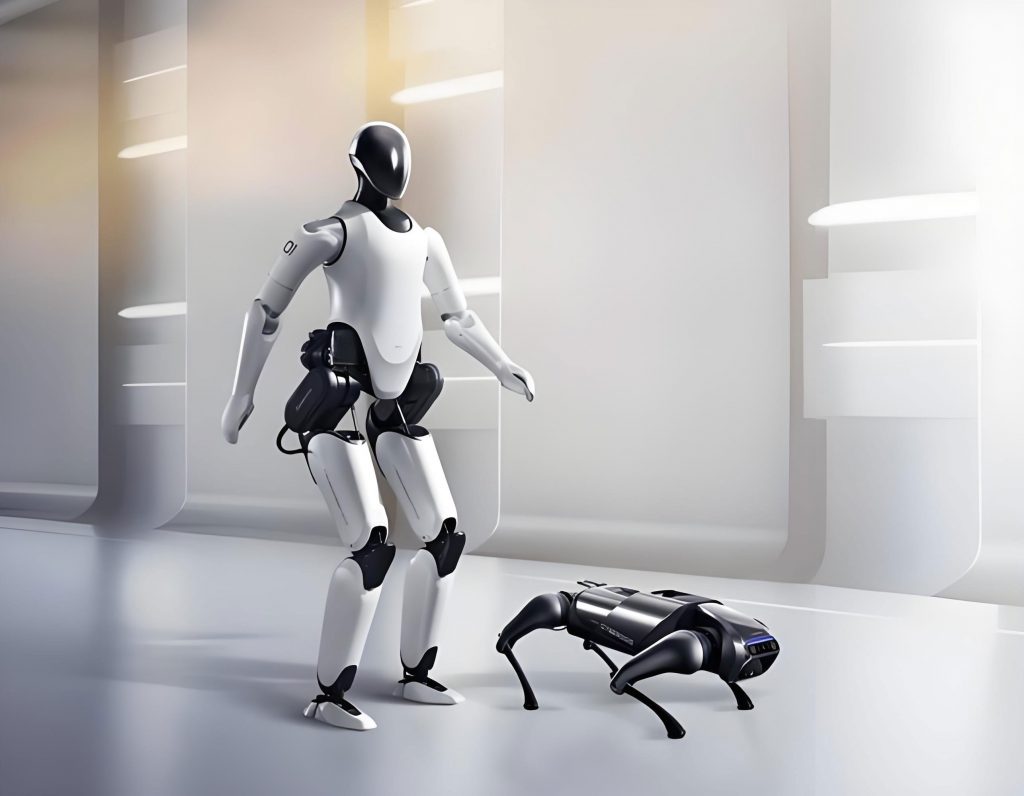
The core architecture of my design is a distributed system centered on three key components: the Android smartphone (the Master or Host), the Microcontroller Unit (MCU) embedded within the bionic robot (the Slave or Client), and a Bluetooth serial module that bridges the two. The following flowchart illustrates the high-level data and command flow:
Overall System Control Flow:
[Smartphone UI] -> [Android Bluetooth API] -> (RFCOMM Channel) -> [HC-06 Module] -> [UART] -> [MCU Firmware] -> [Actuators/Sensors]
       ^                                                                                              |
       |                                                                                              v
[Data Display] <- [Data Parsing Logic] <- (RFCOMM Channel) <- [HC-06 Module] <- [UART] <- [Sensor Data Acquisition]
The smartphone serves as the command center and display. Here, I can design intuitive graphical interfaces to send motion commands, adjust gait parameters in real-time, and visualize sensor feedback. All processing for the user interface and high-level command logic resides here. The MCU on the bionic robot is responsible for real-time, low-level control. It receives high-level commands from the phone (e.g., “walk forward,” “turn left,” “set step length to X”), translates them into precise pulse-width modulation (PWM) signals for servo motors, and manages the sampling of onboard sensors like inertial measurement units (IMUs) or force-sensitive resistors (FSRs). The HC-06 Bluetooth module acts as a transparent wireless serial bridge, replacing a physical USB-UART cable.
Hardware Design and Integration
The hardware layer focuses on reliably interfacing the Bluetooth module with the bionic robot‘s main controller. I selected the HC-06 module for its simplicity, reliability, and low cost. It operates as a slave device, waiting for a connection from a master (the smartphone). Its default configuration uses a baud rate of 9600 bps, 8 data bits, no parity, and 1 stop bit (8N1), which is standard and easy to configure on most MCUs.
The critical part of the hardware integration is managing the serial communication lines. The HC-06 has Transmit (TXD) and Receive (RXD) pins. However, to create a full-duplex communication link without hardware flow control, careful connection to the MCU’s UART pins is required. The connection is straightforward:
- HC-06 TXD pin transmits data from the module to the MCU. Therefore, it must connect to the MCU’s RXD (Receive) pin.
- HC-06 RXD pin receives data from the MCU for transmission. Therefore, it must connect to the MCU’s TXD (Transmit) pin.
A level-shifting circuit or a simple voltage divider might be necessary if the MCU operates at 3.3V and the HC-06 module at 5V, though many modern modules are 3.3V compatible. Power is supplied from the bionic robot‘s regulated power bus, typically at 3.3V or 5V. The module’s state LED provides clear status indications: fast blinking indicates it is in pairing/discoverable mode, slow blinking means it is powered but not connected, and a solid light confirms an active Bluetooth connection has been established with the smartphone.
| Component | Role | Key Specification | Interface with MCU |
|---|---|---|---|
| Android Smartphone | Master Control Terminal, UI | Android OS 5.0+, Bluetooth 4.0+ | Wireless (Bluetooth RFCOMM) |
| HC-06 Bluetooth Module | Wireless Serial Bridge (Slave) | Bluetooth 2.0+EDR, Default 9600 8N1 | UART (TXD->MCU.RXD, RXD->MCU.TXD) |
| Microcontroller (e.g., STM32, Arduino) | Real-time Bionic Robot Controller | UART Peripheral, Sufficient I/O | Direct connection to HC-06 & servo/sensor buses |
Design of the Smartphone-based Control Platform
Developing the Android application was the most intensive part of the project. The goal was to create an app that was not just functional but also user-friendly for testing and demonstrating the bionic robot. I used Android Studio with the standard Android SDK, programming primarily in Java.
Application Architecture and User Interface
The app is structured around core Android components: Activities for the user interfaces and a Service to manage the long-lived Bluetooth connection in the background. The main Activity presents a clean, dashboard-style interface with large, tactile buttons for primary functions. This design ensures that during live demonstrations or tests, controlling the bionic robot is intuitive and fast.
| Activity/Screen | Primary Purpose | Key UI Elements |
|---|---|---|
| Main Dashboard | Central hub for navigation | Buttons: “Connect Bluetooth,” “Gait Parameters,” “Status Monitor,” “Manual Control,” “Help” |
| Bluetooth Manager | Discover, pair, and connect to the HC-06 module on the bionic robot | ListViews for paired/new devices, “Scan” button, Connection status indicator |
| Gait Parameter Tuning | Set and transmit key walking algorithm variables | SeekBars, Number Pickers, EditText fields for parameters like step length, height, cycle time, etc. |
| Real-time Status Monitor | Display live telemetry from the bionic robot | TextViews, Gauges, or Graph views for sensor data (pitch/roll, joint angles, battery voltage) |
| Manual Control Panel | Direct joystick or button-based movement control | Virtual joystick widget, directional buttons, speed sliders |
Bluetooth Communication Programming
Enabling Bluetooth communication within the app requires a sequence of steps, each managed by the Android Bluetooth API. First, I must obtain the device’s default BluetoothAdapter, which represents the phone’s own Bluetooth radio. Before any communication, I check if Bluetooth is enabled and request the user to enable it if not.
The heart of the connection is the Bluetooth Socket, which creates a reliable stream-oriented channel. For serial communication with modules like the HC-06, the Serial Port Profile (SPP) is used, which is emulated over the RFCOMM protocol. Establishing a connection requires the module’s MAC address (a unique identifier) and a universally unique identifier (UUID) that specifies the service. For SPP, the standard UUID is:
$$ \text{UUID}_{\text{SPP}} = \text{00001101-0000-1000-8000-00805F9B34FB} $$
This UUID must be matched on both ends of the connection. The following code snippet outlines the core connection logic within a background thread (to avoid blocking the UI):
// Pseudocode for Bluetooth Connection Thread
BluetoothDevice robotDevice = mBluetoothAdapter.getRemoteDevice(MAC_ADDRESS);
BluetoothSocket socket = null;
try {
    // Create an RFCOMM socket using the standard SPP UUID.
    socket = robotDevice.createRfcommSocketToServiceRecord(SPP_UUID);
    mBluetoothAdapter.cancelDiscovery(); // Critical for connection stability
    socket.connect(); // This is a blocking call
    // Connection successful. Manage the socket for I/O.
    manageConnectedSocket(socket);
} catch (IOException connectException) {
    // Handle connection failure
    closeSocket(socket);
}
Furthermore, the AndroidManifest.xml file must declare the necessary permissions:
<uses-permission android:name="android.permission.BLUETOOTH" />
<uses-permission android:name="android.permission.BLUETOOTH_ADMIN" />
<!-- For Android 12 (API 31+) and above, also need -->
<uses-permission android:name="android.permission.BLUETOOTH_CONNECT" />
Command Protocol and Data Handling
With a socket connection established, data is exchanged as simple byte streams. A clear, lightweight protocol is essential. I designed a plain-text, newline-terminated protocol for simplicity in debugging. For instance, a command to set the walking speed might be formatted as "SPD:75\n", and a request for sensor data might be "GET:IMU\n".
Data sending is triggered by UI events. Each control button or slider has an associated listener that, when activated, formats the appropriate command string and writes it to the socket’s OutputStream.
Receiving data is an asynchronous operation. A dedicated thread continuously reads from the socket’s InputStream. Incoming data, which could be a stream of sensor readings from the bionic robot, is buffered, parsed according to the protocol, and then posted to the main UI thread for display. For example, if the MCU sends a string like "IMU:12.5,-1.8,0.5\n", the app parses the three float values (e.g., roll, pitch, yaw) and updates the corresponding gauges or graphs on the Status Monitor screen.
The core interaction for sending a command can be modeled as a function triggered by an event \( E \) (like a button press). The command \( C \) is a string derived from the UI state. The transmission success depends on the socket connection state \( S \).
$$
\text{SendCommand}(E, C) = \begin{cases}
\text{Format}(C) \rightarrow \text{Write}(S.\text{OutputStream}), & \text{if } S = \text{Connected} \\
\text{NotifyUser}(“Not Connected”), & \text{otherwise}
\end{cases}
$$
| Command Function | Protocol Format (Example) | Description |
|---|---|---|
| Start Walking | CMD:WALK\n |
Initiates pre-programmed walking gait |
| Set Step Length | PARAM:LENGTH:080\n |
Sets step length to 80mm |
| Manual Servo Control | SRV:03:1450\n |
Sets servo ID 3 to pulse width 1450µs |
| Request Sensor Data | GET:ALL\n |
Requests a packet of all sensor readings |
| Emergency Stop | CMD:STOP\n |
Immediately halts all motor movement |
Mathematical Basis for Gait Parameterization
One significant advantage of this platform is the ability to tweak gait parameters in real-time. The walking algorithm on the MCU often relies on mathematical models for leg trajectory generation. A common approach uses cycloidal or polynomial functions to plan the foot’s path in Cartesian space, which is then transformed into joint angles via inverse kinematics.
For instance, a simple 2D trajectory for a foot in the sagittal plane (forward motion) can be defined by a function of time \( t \), normalized over the step cycle period \( T \). Let \( L \) be the step length and \( H \) be the maximum foot lift height. The forward position \( X(t) \) and vertical position \( Z(t) \) during the swing phase could be modeled with a modified cycloid for smooth acceleration:
$$
\begin{aligned}
\phi &= 2\pi \frac{t}{T_{swing}} \\
X(t) &= \frac{L}{2} \left(1 – \cos(\phi)\right) \quad \text{for } 0 \leq t \leq T_{swing} \\
Z(t) &= \frac{H}{2} \left(1 – \cos(2\phi)\right) \quad \text{for } 0 \leq t \leq T_{swing}
\end{aligned}
$$
Here, \( T_{swing} \) is the duration of the swing phase. The smartphone interface allows me to adjust parameters like \( L \), \( H \), and \( T \) (and thus \( T_{swing} \) as a fraction of \( T \)) and transmit them instantly to the bionic robot, observing the effects on stability and speed in real-time. This interactive tuning is invaluable for optimizing the performance of a bionic robot.
The inverse kinematics for a simple two-segment leg (thigh of length \( l_1 \), shank of length \( l_2 \)) to achieve a foot position \( (X_f, Z_f) \) relative to the hip joint are given by:
$$
\begin{aligned}
D &= \frac{X_f^2 + Z_f^2 – l_1^2 – l_2^2}{2 l_1 l_2} \\
\theta_2 &= \text{atan2}( \pm \sqrt{1 – D^2}, D ) \\
\theta_1 &= \text{atan2}( Z_f, X_f ) – \text{atan2}( l_2 \sin(\theta_2), l_1 + l_2 \cos(\theta_2) )
\end{aligned}
$$
Where \( \theta_1 \) and \( \theta_2 \) are the thigh and knee joint angles, respectively. These calculations run on the MCU, but their inputs (\( X_f, Z_f \)) are governed by the parameters I set from the phone.
Conclusion and Future Enhancements
This project successfully demonstrates the design and implementation of a practical, smartphone-based control platform for a bionic robot. By leveraging the Android ecosystem and ubiquitous Bluetooth technology, I have created a system that is highly portable, cost-effective, and features a rich, interactive user interface. It effectively overcomes the limitations of wired control and primitive wireless terminals, making the development and demonstration of walking algorithms for the bionic robot significantly more efficient and accessible.
The platform has been rigorously tested. The Android application installs and runs smoothly on various smartphone models, providing reliable bidirectional communication with the bionic robot. The real-time control and monitoring capabilities have proven invaluable for iterative gait development and public demonstrations.
The design is inherently extensible. Future work will focus on integrating more advanced features directly into the platform. The smartphone’s vast sensor suite can be utilized; for example, using its inertial sensors as a remote motion capture device to teach the bionic robot movements by example. Implementing a video streaming link over a higher-bandwidth connection (like Wi-Fi) would allow for first-person vision from the bionic robot, enabling rudimentary telepresence or visual obstacle detection. Furthermore, the control logic on the phone could be augmented with higher-level AI, transforming it from a mere remote control into an intelligent companion brain for the bionic robot, capable of autonomous navigation decisions based on processed sensor data. This platform lays a solid foundation for these exciting advancements in bionic robot interaction and intelligence.